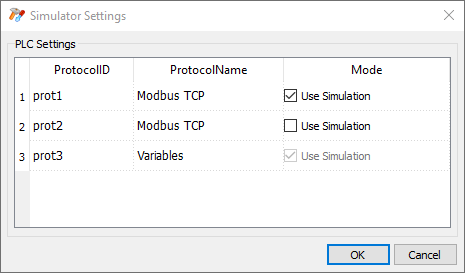
Simulator settings
The Simulator works by default with simulated protocols. It can also work with real protocols (Ethernet or serial protocols)
Note: For protocols not supporting communication with external devices, such as the Variables protocol, this option is always disabled.
Changing simulated protocols
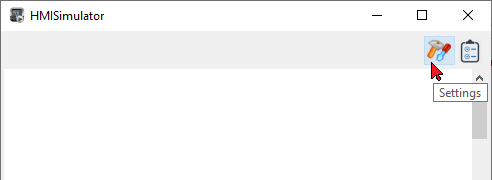
- Click the simulator Settings icon.
- Select Use Simulation to use simulated protocols, otherwise real protocols will be used for communication with external devices.